

I’m at NSConference in Reading, UK this week. It’s related to the Mac Developer Network (organised by same people) and brings a host of famous Mac developers and technologists together.
First up was Mike Lee (@bmf), on Engineering Life. Rather than a technical focussed talk, it was more a call-to-arms to get out and appreciate life. Some touching moments but the basic summary is “Go out and make something of your life, so that your memes and achievements live on.”

Jonathan “Wolf” Rentzsch (@rentzsch)
stepped up to the plate to deliver a whirlwind tour of debugging tools
available to Mac OS X. Several things I didn’t know about were commented on; so
whilst I knew about gdb, I didn’t know that you could easily use the
tab key to complete which process to connect to. Here’s a list of
tools covered, along with their links:
Hex Editors
- HexEdit
- HexFiend is the new hotness, contains the HexFiend framework. Can also open files which are larger than current memory by paging.
UNIX Tools
file- tells you what type of file it is (and MachO architectures)strings- knows about MachO, if connected to a terminal will show less than if piped, since it filters for the current architectureotool- knows Apple format.-Lshows linked frameworks, debug with-ovor-tVflags.otx- post processor of theotooloutputotx-bblmis a language model for BBEditclass-dumpcan read the MachO files and (optionally) generate header files.
Debugging with gdb
attach TextEd<tab>to find list of processes to attach todetachto remove from processbreak +[Controller initialize]- set a breakpoint on a static methoddeleteis used to remove breakpoints by ID or all of theminfo address +[Controller initialize]gives address ofinitializemethodinfo symbol 0x1234gives the method of address returned from about
Other tools and injectors
- FScript can be used to interactively invoke Objective-C objects
- SIMBL has been updated to use the AppleScript injection technique over the InputManagers (which are deprecated and don’t work in 64-bit)
- mach_inject and mach_override were early attempts at moving methods
- method_exchangeImplementations() is the new way of switching Objective-C methods from 10.5 onwards
- JRSwizzle and SwizzleKit are supported runtimes to perform changing methods. Posing, once considered the way to achieve swizzling, is now firmly deprecated in favour of swizzling.
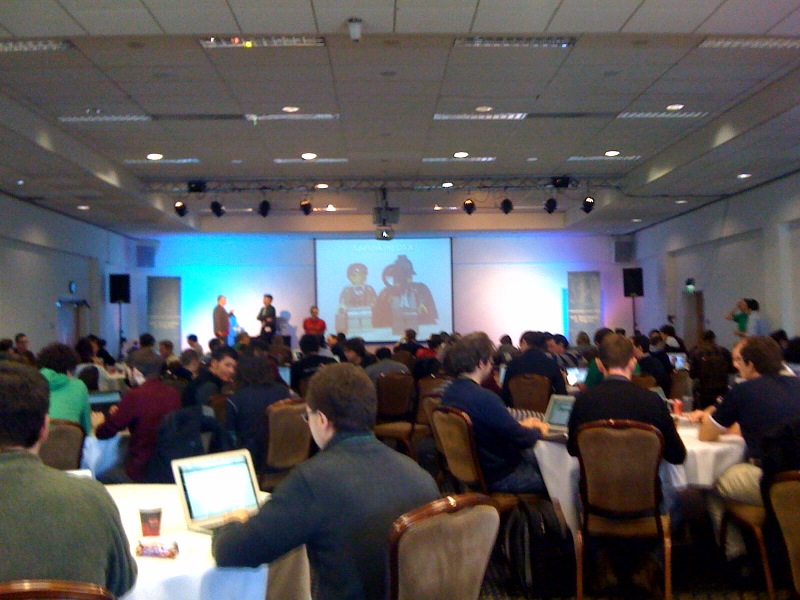
Dave Dribin (@DDribin) gave a talk on Clean Code, which offered the usual kind of advice; keep it short, use good names, methods should be 10-30 lines, classes should be 100-300 lines. Unfortunately, the code font – once dipping to 6pt – was completely illegible. So the advice was useful, even if the presentation wasn’t so much. He did link to WTFs per minute as an example of code quality, as well as an investigation into obfuscated code. There were a few useful takeaways; “Always check in code cleaner than before you touched it!” is a good summary of coding practice.

Drew McCormack (@drewmccormack)
gave an interesting talk on data presentation on Mac platforms. As well as the
obligatory Matrix reference,
his talk started with different ways of showing the same data, with increasing
clarity of the application. He segued into the different types of view in a
traditional Mac application, including the fact that most views are in essence
single-column table views (even CoverFlow). He then compared
the difference between NSTableView and NSCollectionView; especially the
performance of the UITableView. Lastly, he presented Core Plot, a Mac-like framework
for drawing graphs and charts on both the Mac and the iPhone. (There is an
internal PrivateFramework Graph Kit that is used by some applications, like Activity Monitor.) Although
there hasn’t been a public release yet, there are a number of iPhone
applications which integrate the library.
Finally, Marcus Zarra (@mzarra) talked
about CoreAnimation.
The basics of CABasicAnimation and CAKeyframeAnimation. A brief demo showed
how quickly one could create a highly animated (if slightly gaudy) view, with
scalable and smooth animation at either layer. In addition, the iPhone (and,
presumably, the iPad) uses the same animation mechanisms under the covers.